 Photo
PhotoPhoto editing tools
Reduce image file size
Reduce the size of an image download by choosing appropriate dimensions and export settings. This is a manual export workflow in PhotoBlaze, not a guaranteed target-size compressor.
Open PhotoBlazeLocal image processing · Desktop browser recommended
How to reduce image file size
- Open your photo and keep a copy of the original.
- Use Image → Image size to reduce dimensions if the full-resolution image is unnecessary.
- Choose File → Export image. For a typical photograph, compare JPEG or WebP at different quality settings.
- Inspect the preview for blocky detail, banding and fuzzy text, then download the result.
- Check the downloaded file size. If needed, lower quality or dimensions further and export another copy.
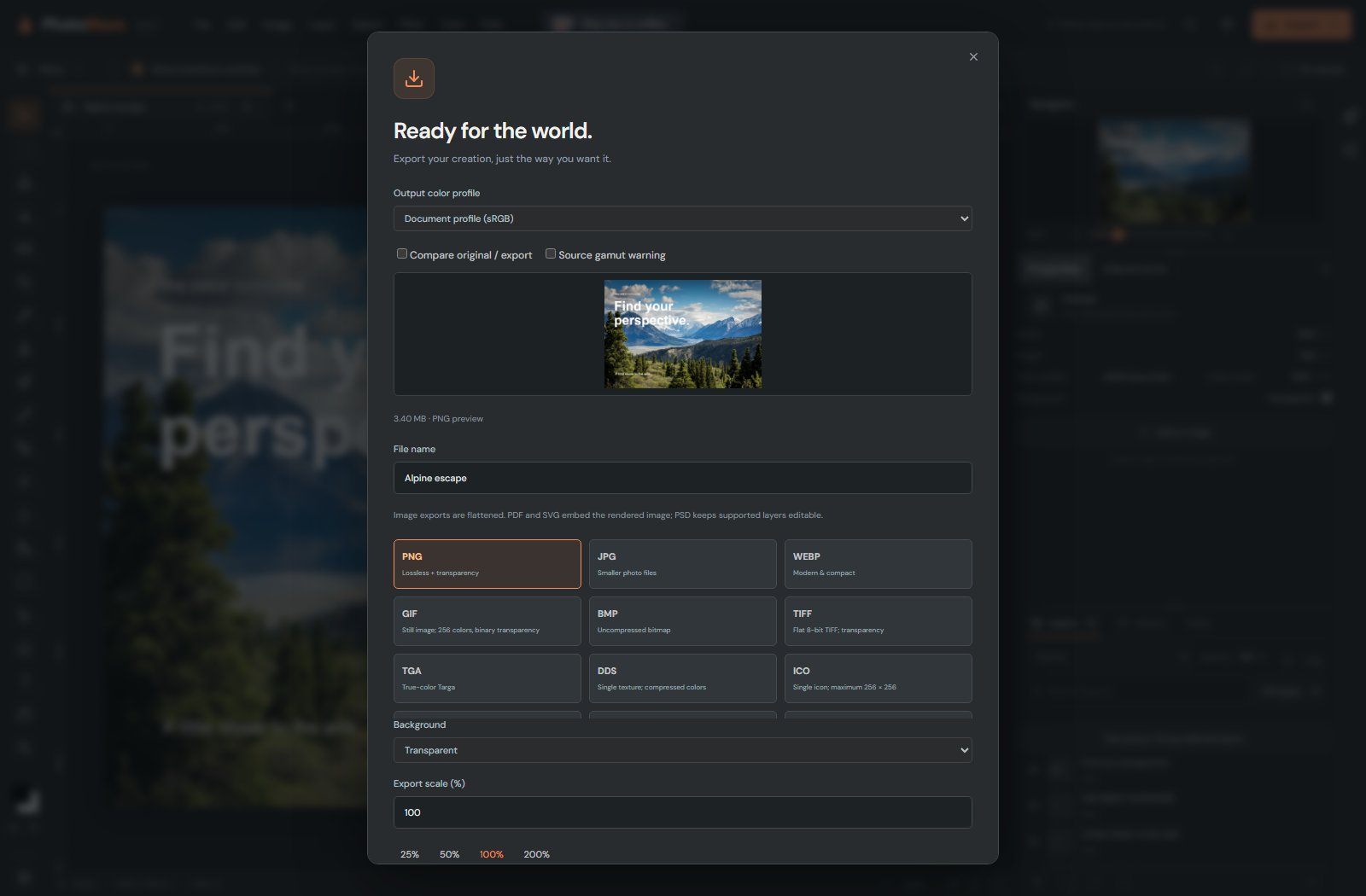
Balance detail against download size
Pixel dimensions, image complexity, file format and quality all affect the number of bytes. A smaller quality value usually reduces a JPEG, but fine detail may suffer. Reducing dimensions can have a larger effect when a photo is much bigger than its intended display area.
PNG is useful for lossless graphics and transparency, but it can be larger than JPEG for photographs. Repeated JPEG exports can add degradation: work from the original or an editable master when making alternatives. PhotoBlaze does not promise a specific kilobyte target or that every re-export will be smaller.
Can I make any photograph smaller with no quality loss?
Not necessarily. Lossy quality changes and reduced dimensions discard information. Compare the result at its intended display size and preserve the original.
Local processing, with clear limits
Your opened artwork is processed on your device, not uploaded to a PhotoBlaze editing server. The site still downloads its application and optional tools, and uses analytics. Read the privacy details. Keep original files and download a saved copy; browser recovery is not a permanent backup.